
Why AI Feels So Much Smarter Now: A Practical Playbook for Lawyers on Tools, Workflows, and Not Just Models
Lawyers are seeing AI move from 'neat demo' to day-to-day usefulness—faster drafting, smarter search, better triage. The shift isn't just bigger models; it's better tooling, workflow design, and integration patterns. A playbook for moving past the demo stage.

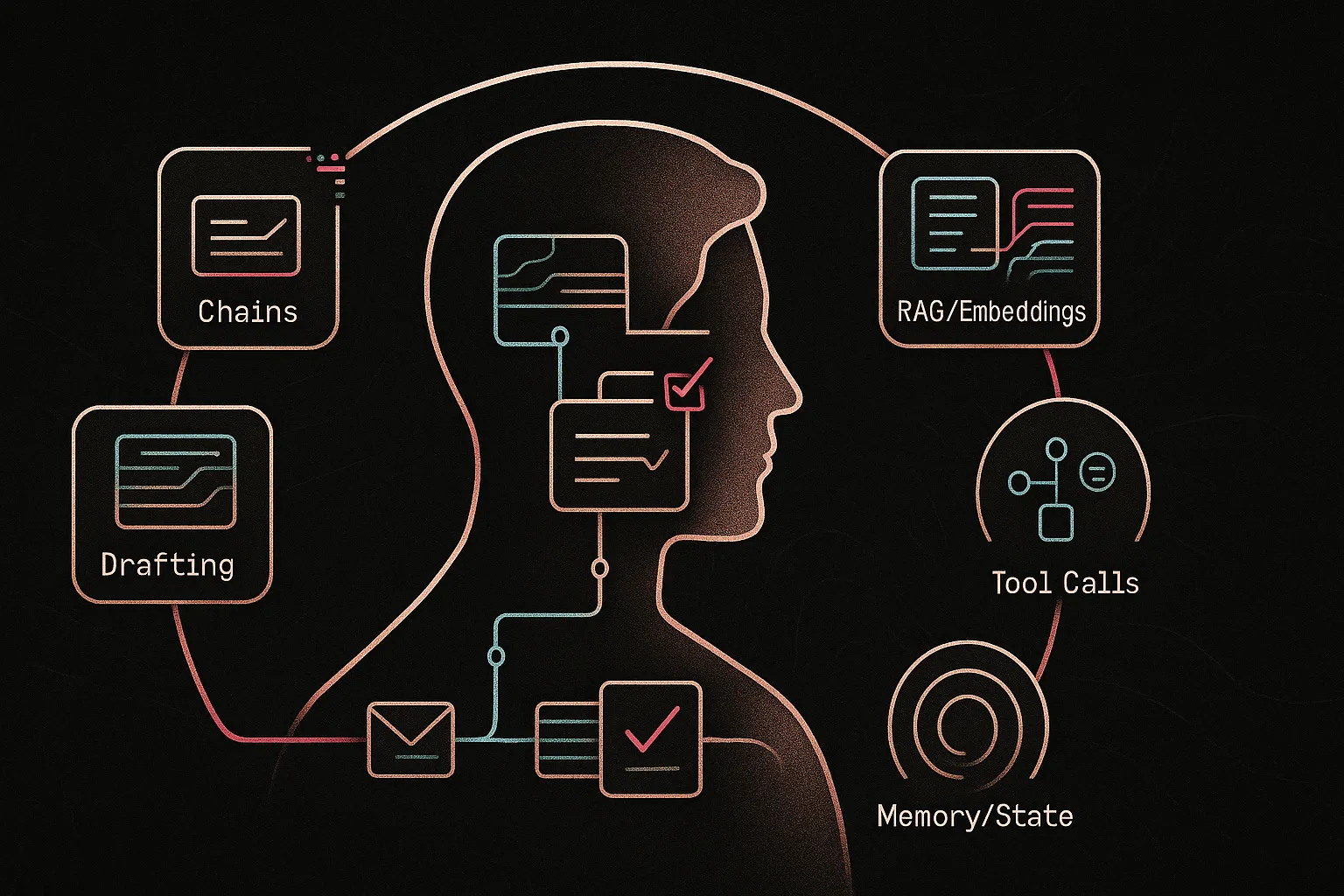
Lawyers are seeing AI move from “neat demo” to day‑to‑day usefulness — faster drafting, smarter search, better triage — and they wonder why. The short answer: it isn’t just that base models improved. Most practical gains come from the ecosystem around models — chained steps, embeddings/RAG over your firm’s documents, tool calls, and matter‑aware memory — which turn ad‑hoc prompts into repeatable, auditable workflows.
This guide is for practicing lawyers (firm and in‑house), not engineers. It’s a practical, workflow‑focused playbook — plain‑language explanations and concrete pilotable patterns you can use in your practice. For governance and policy detail see Promise Legal’s AI governance playbook: https://blog.promise.legal/startup-central/the-complete-ai-governance-playbook-for-2025-transforming-legal-mandates-into-operational-excellence/; for field results see our case study on AI in legal firms: https://blog.promise.legal/ai-in-legal-firms-a-case-study-on-efficiency-gains/.
The Real Story Behind AI’s Rapid Improvement: It’s the Workflow, Not Just the Model
Models have improved, but the real jump in usefulness comes from wiring models into tools, data, and processes. "Raw" ChatGPT gives one‑shot answers; workflows chain steps — retrieval, structured intake, drafting checks, tool calls, and matter memory — so output is repeatable and auditable.
Example: asking "draft a contract" often yields a generic draft. A workflow instead indexes your template bank (embeddings/RAG), runs a short intake, selects the right template, applies a drafting chain that enforces playbook clauses, flags non‑standard terms, and saves the draft to your DMS.
Practical takeaway: when you evaluate AI ask how it fits your matter data, approvals, audit trails, and lawyer‑in‑the‑loop controls — not only which model it uses.
- Key concepts: chains; embeddings/RAG; fine‑tuning; tool calls/agents; memory/state.
Deeper workflow examples: https://blog.promise.legal/harnessing-ai-workflows-and-design-for-legal-professionals-transforming-legal-work-through-intelligent-automation/
Quick Wins Lawyers Can Get Today from ‘AI Around the Model’
You don’t need an AI lab or big budget — most value comes from wiring existing tools to your documents and processes. Try small, low‑risk pilots that plug models into real workflows.
- Embeddings search. Index one corpus (e.g., NDAs) so lawyers can paste a clause or ask in plain language and find close precedents in minutes — faster drafting and better consistency.
- LLM intake chain. Automate extraction from emails/forms into a short, partner‑ready intake summary — reduces associate time and speeds decision points.
- RAG for standard drafting. Have the model pull approved templates and playbook language before generating NDAs or engagement letters — consistent risk posture and quicker turnaround.
- Tool calls for admin work. Auto‑generate matter updates or billing narratives from time entries and save drafts to the matter system — less admin, better client communications.
- Session memory. Enable matter‑scoped chat memory so assistants retain context across sessions — fewer repeats and smoother handoffs.
For governance and safe pilots, see Promise Legal’s AI governance playbook: https://blog.promise.legal/startup-central/the-complete-ai-governance-playbook-for-2025-transforming-legal-mandates-into-operational-excellence/
Use LLM Chains to Turn Messy Legal Work into Predictable Workflows
What LLM Chains Are in Plain English
LLM chains are a series of structured AI steps, each with a single job (extract, retrieve, draft, check). In law you want repeatable, auditable multi‑step workflows that mirror playbooks and preserve human review — not one‑shot magic.
Legal Workflows That Benefit Most from Chains
- Intake & triage: convert free‑form client inputs into structured facts and recommended next steps.
- Research: refine queries, fetch sources, and summarize with citations for quick attorney review.
- Drafting: outline → draft → apply checklist → suggest revisions to enforce standards.
- Review: standardize language, flag deviations, and propose fixes for faster sign‑off.
Example – Building a Simple Chain for Litigation Intake
- Step 1: extract parties, dates, jurisdiction, posture from emails and PDFs.
- Step 2: produce a short, partner‑ready intake memo.
- Step 3: auto‑populate the matter summary field in your matter system.
Outcome: fewer missed details, faster partner review, and consistent matter records.
What Lawyers Should Ask Vendors and Internal Teams
- Can the system break the workflow into steps and show each step’s output?
- Can we edit the chain to match our playbook?
- Is there a lawyer‑in‑the‑loop review step and logging for audits?
See a hands‑on walkthrough: https://blog.promise.legal/creating-a-chatbot-for-your-firm-that-uses-your-own-docs/
Use Embeddings and RAG to Make AI Actually Understand Your Documents
Why Models Alone Don’t Know Your Law Firm
Base LLMs lack your firm's precedents, playbooks, and client terms and may hallucinate. Embeddings turn documents into searchable vectors; RAG means retrieve the most relevant passages from your corpus first, then have the model answer grounded in those sources.
High-Value Use Cases
- Knowledge management: natural‑language search over briefs and memos.
- Clause lookup: find similar negotiated language and firm‑preferred wording.
- Client FAQs/portals: answers tied to your published guidance.
- Policy support: HR/compliance Q&A sourced to manuals.
Example — Clause Finder
Index past contracts with embeddings; paste or describe a clause and surface similar examples plus source links — faster drafting and more consistent negotiation positions.
Practical Decisions
- Start with one corpus (e.g., NDAs).
- Ask IT/vendors about storage/encryption, access controls, deletion policy, and whether answers include source citations and audit logs.
Hands‑on walkthrough: https://blog.promise.legal/creating-a-chatbot-for-your-firm-that-uses-your-own-docs/
Pick the Right Technique: Fine-Tuning vs Prompts vs RAG
What Fine-Tuning Really Does (and Doesn’t)
Fine‑tuning slightly retrains a model on examples to lock in style, format, or repeated outputs. It doesn't store your precedents the way retrieval does; use it for behavior tweaks, not as a document store.
Decision Framework
- Prompts: Quick, low‑cost changes to tone or structure.
- RAG: Use when answers must be grounded in your documents and include citations.
- Fine‑tuning: Worthwhile only with high volume of very similar tasks and many clean examples to train on.
Example — Regulatory Summaries
Prompt‑only yields inconsistent memos; RAG pulls regulations plus your prior memos for grounded summaries; fine‑tuning later standardizes style once you have enough examples.
Key Questions
- What data will be used, where will it live, and can it be deleted?
- Does volume justify fine‑tuning cost versus prompts + RAG?
See governance guidance: https://blog.promise.legal/startup-central/the-complete-ai-governance-playbook-for-2025-transforming-legal-mandates-into-operational-excellence/
Use Tool Calls and Agents to Connect AI to Your Legal Systems Safely
From ‘Chatbot’ to ‘Do-Things Bot’
Tool calls let a model trigger actions (query a database, schedule meetings, create a DMS draft) instead of only returning text. Agents orchestrate which tool(s) to call and in what order to complete a task.
Where Tool Calls Shine
- Calendaring & deadlines: propose dates and create events for lawyer approval.
- Matter setup: create folders, templates, and checklists on intake.
- Document assembly: pull CRM/matter data to build first drafts.
- Reporting: summarize time entries, emails, and filings into updates.
Example — Semi‑Automated Closing Binder
- Identify executed documents by matter metadata.
- Call an assembly/PDF tool to bundle and index.
- Produce a draft binder package for lawyer review.
Guardrails Lawyers Should Insist On
- Human‑in‑the‑loop: lawyer approval before any writes/deletes.
- Audit trails: logs of tool calls, inputs, and outputs.
- Access controls: AI actions limited to the calling user's privileges.
- Sandbox testing: pilot in non‑production before rollout.
For governance and real‑world examples, see Promise Legal’s AI governance playbook: https://blog.promise.legal/startup-central/the-complete-ai-governance-playbook-for-2025-transforming-legal-mandates-into-operational-excellence/ and our case study on firm implementations: https://blog.promise.legal/ai-in-legal-firms-a-case-study-on-efficiency-gains/.
Use Memory and State to Build AI That Understands a Matter Over Time
The Difference Between One-Off Chats and Stateful Assistants
State (memory) lets an assistant retain prior interactions and matter documents so each session builds on earlier context. Continuity matters because legal work often spans weeks or months.
Concrete Uses of Memory
- Matter history: living chronology of facts, filings, drafts.
- Client preferences: style, risk tolerances, contact protocols.
- Workflow context: which templates and playbooks apply.
Example — Ongoing Assistant for Complex Litigation
The assistant keeps an issue list and fact timeline; lawyers ask “what did expert X say about Y?” and get answers using prior context plus retrieved documents — faster onboarding and fewer re‑reads.
Practical Considerations
- Persist only matter‑relevant data; avoid saving casual chats.
- Ask vendors how memory is stored, audited, and deleted.
- Apply access controls and retention policies like any matter data.
See: https://blog.promise.legal/creating-a-chatbot-for-your-firm-that-uses-your-own-docs/
Designing Your First AI-Enhanced Workflow in a Law Firm or Legal Department
Start with Problems, Not Tools
Inventory repetitive, high‑volume, or error‑prone tasks (intake, first drafts, routine reviews, reporting). Prioritize clear‑input/clear‑output workflows with lower risk for quick pilots.
A Simple 5‑Step Implementation Blueprint
- 1. Pick one workflow (e.g., NDAs).
- 2. Map current steps, owners, and documents.
- 3. Identify where chains, RAG, tool calls, or memory add value.
- 4. Pilot with a small group and a lawyer‑in‑the‑loop review.
- 5. Measure time saved, error reduction, and user satisfaction; iterate.
Example — NDA Revamp
Use RAG over approved templates, an intake→draft chain, and tool calls to save drafts to the DMS and notify the responsible lawyer — faster turnarounds and a consistent risk posture.
Working with IT, Vendors & Consultants
Form a small cross‑functional team and align on data sources, access controls, review gates, and success metrics. See our case study and governance playbook for real examples and guardrails: https://blog.promise.legal/ai-in-legal-firms-a-case-study-on-efficiency-gains/ and https://blog.promise.legal/startup-central/the-complete-ai-governance-playbook-for-2025-transforming-legal-mandates-into-operational-excellence/.
Actionable Next Steps
Start small: choose low‑risk pilots that deliver measurable time savings, consistency, or client‑experience gains.
- Identify 2–3 repetitive workflows where chains, embeddings, tool calls, or memory can cut drudgery without touching high‑risk decisions.
- Pick one document corpus (e.g., NDAs or engagement letters) and run a small RAG pilot to improve search and drafting.
- Talk with IT/vendors to confirm support for chains, retrieval over your docs, tool calls, and stateful sessions — and document existing guardrails.
- Design a lawyer‑in‑the‑loop review gate so AI outputs require sign‑off before filing or client delivery.
- Set a 90‑day pilot with KPIs (time per matter, turnaround, consistency) and collect baseline metrics.
- If needed, partner with specialists such as Promise Legal to audit workflows and build a roadmap.
See the AI governance playbook: https://blog.promise.legal/startup-central/the-complete-ai-governance-playbook-for-2025-transforming-legal-mandates-into-operational-excellence/ and our firm case study: https://blog.promise.legal/ai-in-legal-firms-a-case-study-on-efficiency-gains/.