
What GPT-4 Really Changes for Legal Work (and What It Doesn’t)
GPT-4 and workflow automation aren't “future of law” demos anymore — they're quietly reshaping daily legal delivery: intake, first-draft documents,…

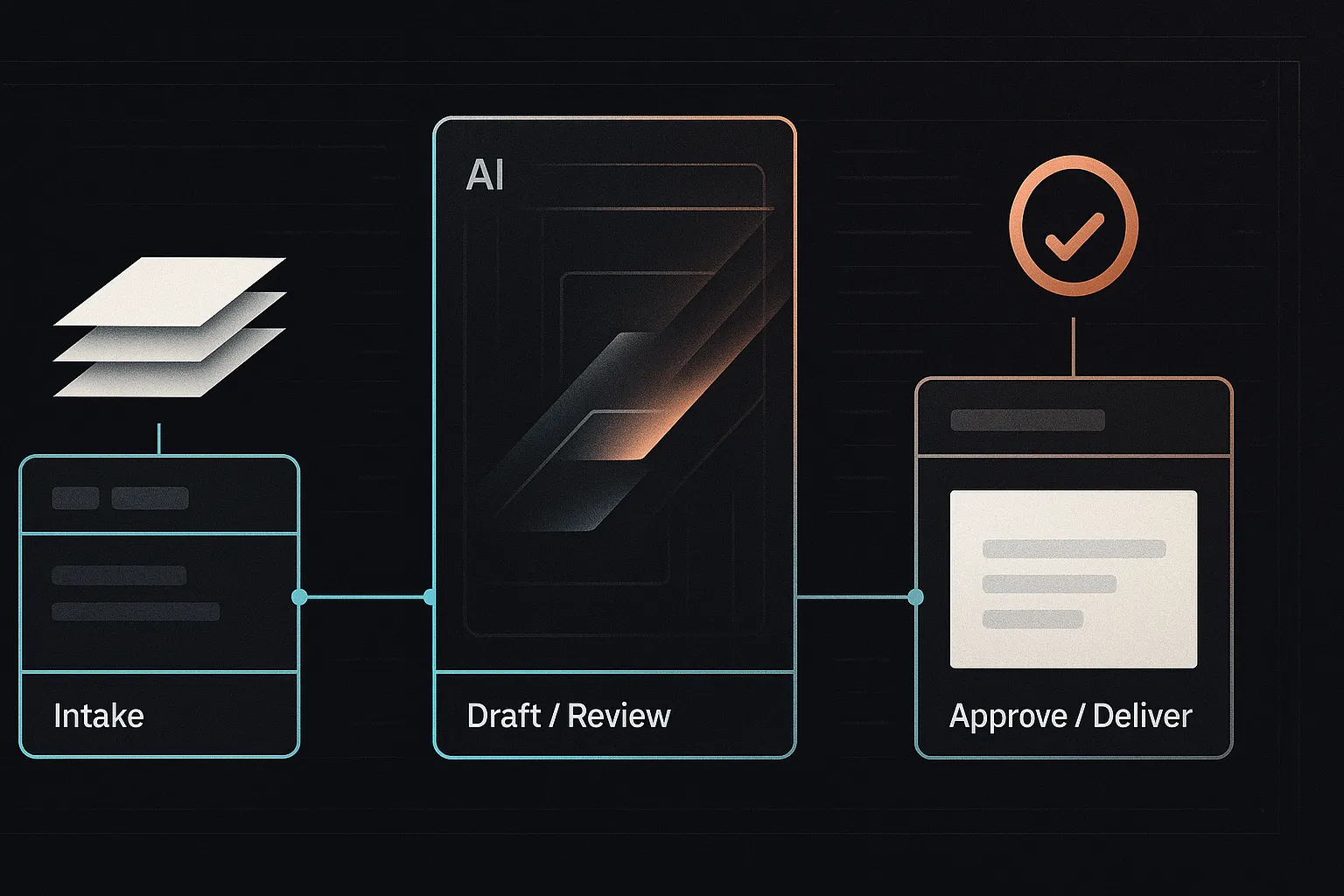
GPT-4 and workflow automation aren’t “future of law” demos anymore — they’re quietly reshaping daily legal delivery: intake, first-draft documents, contract review, diligence summaries, and internal knowledge systems. The practical question is no longer whether to use these tools, but how to use them without losing control of confidentiality, accuracy, and client expectations.
The biggest risk is treating GPT-4 as either a toy (no ROI) or a magic wand (unreviewed output, hallucinations, and avoidable malpractice exposure). Firms that win are designing repeatable workflows where AI accelerates the text-heavy steps and lawyers own the judgment calls.
This guide is for partners, in-house teams, and legal ops leaders who want concrete, governed ways to deploy GPT-4 — especially through lawyer-in-the-loop checkpoints and automation platforms like n8n.
- Design workflows, not prompts.
- Keep human sign-off on anything client-facing.
- Pilot narrowly with clear metrics.
- Log and iterate prompts, checklists, and outcomes.
- Expect pricing shifts as marginal delivery costs drop.
What GPT-4 Really Changes for Legal Work (and What It Doesn’t)
In practice, GPT-4 is most valuable where law is text-heavy and the bottleneck is drafting, sorting, or synthesizing information. It’s strong at spotting patterns across documents, producing drafting variants, summarizing long records, extracting key fields into structured formats (parties, dates, obligations), and walking through “if/then” reasoning with explicit assumptions.
What it doesn’t change: responsibility. GPT-4 can hallucinate citations, miss key facts, flatten jurisdictional nuance, and it cannot be held accountable — your lawyer still is. Treat it like a junior assistant on steroids: fast, helpful, and occasionally overconfident.
Mini-scenario: a small disputes team uses GPT-4 to draft a first-pass petition and a research memo from pleadings and a transcript. A lawyer then verifies citations against primary sources, adjusts strategy and tone, and confirms procedural rules before anything goes out.
The default operating model is lawyer-in-the-loop: structured review checkpoints that keep speed gains without surrendering quality control.
Five Legal Workflows GPT-4 and Automation Are Transforming Right Now
1. Client Intake and Matter Triage
Before: someone reads long emails, re-keys facts, and guesses routing — while conflicts checks and follow-ups lag. After: GPT-4 summarizes the intake, classifies the matter, and extracts parties/dates/issues; an automation (often n8n) creates the matter, routes to the right team, and sends templated questions.
Lawyer-in-the-loop: require human approval for routing and any engagement language. Red flags: emergency deadlines, adverse parties, sanctions history, or “I already filed pro se.”
2. Contract Review and Redlining
GPT-4 can compare an NDA/SaaS draft to your playbook, flag non-standard clauses, and propose fallback redlines. Guardrails: limit to defined contract types/counterparties, log changes, and require lawyer sign-off.
3. First-Draft Document Generation (With Strict Review)
Use structured prompts + clause libraries to generate first drafts (engagement letters, policies). An employment team can draft a jurisdiction-specific template, then run a checklist for local law and firm style.
4. Due Diligence and Document Summarization
Automations can batch-upload and chunk documents; GPT-4 produces provision summaries and issue lists (assignment, change-of-control, termination) for lawyer review.
5. Knowledge Management and Internal Q&A
A controlled chatbot over vetted firm docs lets associates ask “What’s our LoL position for SaaS?” and receive an answer with sources — see Creating a Chatbot for Your Firm — that Uses Your Own Docs. Curation and access control are non-negotiable.
Designing GPT-4 Workflows with Lawyer-in-the-Loop Safeguards
Lawyer-in-the-loop means building explicit checkpoints where a qualified lawyer reviews, corrects, or overrides AI output before it becomes operational or client-facing. The goal is to capture speed without outsourcing judgment (see What is Lawyer in the Loop?).
Safe AI-assisted workflows share a few components: clear scope (what the workflow may/may not do), input standards (permitted data types and formatting), review stages with escalation rules, and durable logging/version control so you can audit what happened and improve prompts over time.
Example (contract review): upload agreement → GPT-4 flags deviations from playbook and drafts suggested redlines → automation routes to the right reviewer → lawyer approves/edits with tracked changes → finalized markup and summary are sent to the client.
- Assign an owner accountable for quality and updates.
- Require human sign-off on all client-facing outputs.
- Maintain an out-of-scope list (highly sensitive data, bespoke structures).
For deeper workflow design, see Ensuring AI Effectiveness in Legal Practice: The Lawyer-in-the-Loop Approach and Embedding Tools Within Legal Workflows.
Implementation Playbook: How to Pilot GPT-4 and Automation in Your Firm
Avoid big-bang rollouts. The safest adoption pattern is small, measurable, and reversible: one workflow, a defined user group, clear guardrails, and a rollback plan.
Step 1 – Pick One High-Leverage, Low-Risk Workflow
Choose work that’s repetitive and text-heavy with moderate stakes and obvious metrics (cycle time, error rate, rework). Common pilots: intake summaries, NDA review, internal research memo first drafts.
Step 2 – Map the Current Process in Detail
Diagram the “as-is” steps, owners, tools, and pain points. For inbound NDAs, this often looks like: receive email → save to DMS → assign reviewer → review/redline → send to counterparty → track status.
Step 3 – Design the GPT-4-Assisted Version
Decide what stays human, what GPT-4 drafts/extracts, and what automation orchestrates (routing, reminders, matter updates). Use system instructions, templates, and a small playbook; see Setting up n8n for your law firm.
Step 4 – Address Data Security and Governance Up Front
Set hosting boundaries (public API vs. private) and define what data may leave your environment. Document confidentiality/privilege assumptions, logging, and audit needs.
Step 5 – Run a Time-boxed Pilot and Measure Outcomes
Run 4–6 weeks with a small group. Track baseline vs. pilot turnaround time, revision rates, and lawyer satisfaction.
Step 6 – Iterate, Document, and Then Scale
Prompts, checklists, and edge-case decisions should become reusable knowledge. Scale only after the workflow is stable and review checkpoints are consistently followed.
Managing Legal, Ethical, and Operational Risks of GPT-4 in Legal Practice
The main risk buckets are confidentiality/privilege, regulatory duties, client expectations, quality control (including hallucinations), bias, and vendor/model governance.
Confidentiality, Privilege, and Client Consent
Your obligations don’t change, but the deployment model matters: consumer chat tools, firm-managed enterprise instances, and private/on-prem setups create different disclosure, retention, and access risks. Mitigate by minimizing sensitive identifiers, using enterprise/private deployments where needed, and updating engagement terms or disclosures when AI materially changes delivery.
Accuracy, Hallucinations, and Quality Control
GPT-4 can fabricate facts or citations. Require source-linked drafting, spot-check against the record, and independent legal analysis for novel issues. “What went wrong” often looks like a rushed filing that copied an AI-generated case cite; a better lawyer-in-the-loop gate would have forced verification before submission.
Regulatory and Professional Responsibility Concerns
Regulators increasingly frame GenAI as a supervision/competence issue: lawyers remain responsible for work product. Adopt an internal permitted-tools list, mandatory review standards, training, and approvals for new workflows.
Vendor, Data, and Model Governance
- Confirm data retention, whether customer data is used for training, and jurisdiction/location.
- Review security controls, certifications, incident response, and audit rights.
- Maintain an AI register: models used, use-cases, owners, and review requirements.
How GPT-4 Is Reshaping the Business Model of Legal Services
GPT-4 plus automation changes the unit economics of legal work: for many standard, text-heavy tasks, the marginal cost of a “good first pass” drops sharply, so each lawyer can supervise more throughput. The scarce resource shifts from drafting time to review, judgment, and client-facing strategy.
That pressure shows up in pricing. As delivery becomes cheaper and more repeatable, fixed fees, subscriptions, and unbundled offerings become easier to offer profitably (and harder for clients to accept open-ended hourly billing for commoditized steps).
Example: a firm converts bespoke memo work into a flat-fee “issue scan”: GPT-4 triages a fact packet, extracts key questions, drafts a structured outline with risks and missing facts, and a partner finalizes the analysis and recommendations.
Competitive dynamics follow: small AI-enabled teams can compete for work once requiring larger leverage models, while in-house teams can insource more (with outside counsel reserved for edge cases). Proof points on efficiency gains: AI in Legal Firms: A Case Study on Efficiency Gains. The strategic choice is to design AI-enhanced services now — or have clients impose the price drop later.
Tooling Map: From Chatbots to Workflow Orchestration
Most “AI in law” stacks break into three practical layers. First are direct GPT-4 interfaces (ChatGPT, copilots) for ad-hoc drafting and brainstorming. Second are automation/orchestration tools that connect GPT-4 to email, your DMS, CRM, and case management — this is where repeatable workflows live (see Setting up n8n for your law firm). Third is the knowledge layer: chatbots over vetted firm documents (often using a vector database) for internal Q&A and precedent access (see Creating a Chatbot for Your Firm — that Uses Your Own Docs).
Simple architecture: Intake form → n8n flow → GPT-4 summarization/classification → matter opened in your case system → notification to the responsible lawyer.
Start with tools you already trust and can govern. Don’t buy a dozen point solutions before you’ve designed 1–2 core workflows and defined review checkpoints, logging, and access controls.
Actionable Next Steps
- Audit workflows: identify 1–2 repetitive, text-heavy processes (intake summaries, NDA review, diligence summaries) where GPT-4 can save time without increasing high-stakes risk.
- Map and redesign: diagram the workflow end-to-end, then mark which steps are AI-assisted vs. which require explicit human sign-off using a lawyer-in-the-loop model.
- Launch a small pilot: use secure GPT-4 access and simple orchestration (e.g., n8n), and track cycle time, rework, and error rates.
- Update policies: document approved tools, data handling rules, review requirements, and escalation paths for edge cases.
- Share learnings: circulate early wins and failures to calibrate expectations, then expand only after guardrails hold.
- Go deeper: review our implementation patterns for firm chatbots and workflows, including chatbots that use your own docs, or contact Promise Legal for help designing AI-ready legal delivery and governance.